
Text Number:Phone Text for Now
Text Number Free text AppCommunication
4.4323.00 Reviews
- Version
- 1.16.0
- Installs
- 100.00K
- Age Rating
- Everyone
Screenshots
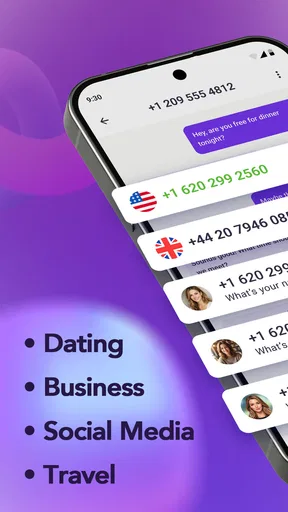
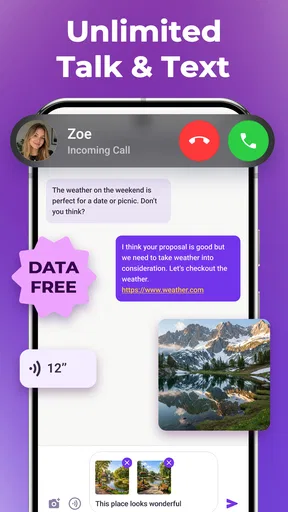
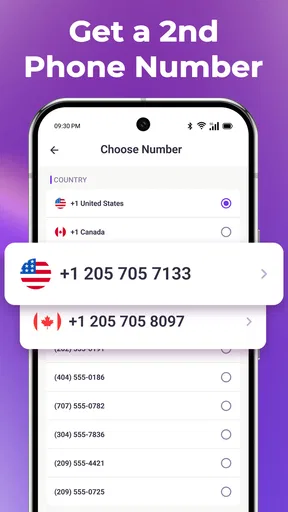
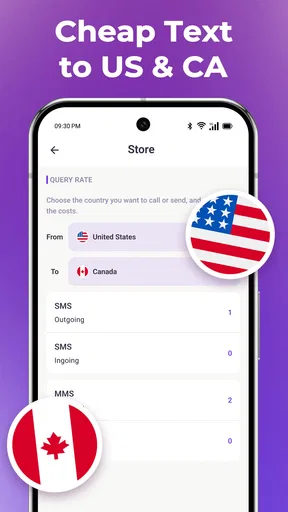
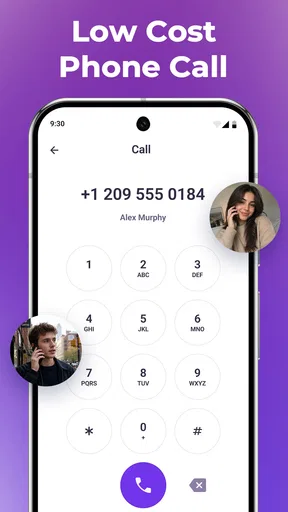
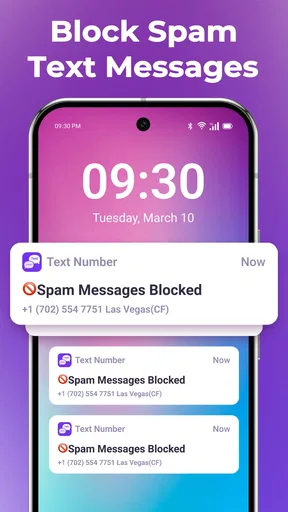
Our Review of Text Number:Phone Text for Now
 Analysis by Appyee
I approached Text Number:Phone Text for Now as a practical communication tool rather than just another messaging download. It is a free app in the Communication category from Text Number Free text App, built around the idea of giving you another number for texting and calling. That makes it interesting for people who want to separate parts of their everyday communication without immediately replacing their main phone service.
My first impression is that the app is easiest to understand when you think of it as a flexible second line. You might use it for conversations you do not want mixed into your personal inbox, for keeping a clearer boundary between work and private contacts, or for having an additional route to reach people. It is not automatically the best answer for every communication problem, but it can be useful when a separate number is the main thing you need.
Where the experience usually gets stuck
Before changing settings or retrying a conversation, I first narrow down where the breakdown happens: choosing the second line, sending or receiving, or noticing an alert. That distinction keeps a small mix-up from turning into unnecessary troubleshooting. Once I know which part is failing, I can use a more deliberate setup check rather than changing several things at once.
The second-number idea needs a clear purpose
The biggest source of confusion is not necessarily the interface; it is deciding what role the extra number should play. If I install an app like this without first deciding whether I need a private line, a temporary contact channel, or a more organized way to handle calls and texts, I am likely to judge it unfairly. The app is focused on communication, so its value depends heavily on how well that second line fits into my routine.
For example, I would not treat it as a complete replacement for my mobile carrier. A carrier number remains the dependable choice for account recovery, important services, emergency communication, and situations where I need the strongest possible continuity. A second-number app is more suitable for ordinary conversations, separating contacts, and reducing the need to hand out my primary number in every situation.
That distinction also helps explain why some users may feel disappointed. Someone expecting every call or text to behave exactly like a traditional phone line may find the app less seamless. The experience depends on the app being available and properly configured, while the normal phone app is already deeply connected to the device and mobile service. I see this as a useful companion rather than a universal replacement.
Calls and texts can feel different from the default phone app
When I use a dedicated communication app, I have to remember which number I am presenting and where replies will arrive. That sounds minor, but it matters in real life. If I give someone the additional number and later answer from my regular line, the conversation can become confusing. I recommend saving the contact with a note that identifies which number should be used, especially if I am managing separate personal and work conversations.
A simple naming habit helps. I might label a contact with the purpose of the conversation rather than only the person’s name, or keep a small private note explaining that the exchange belongs to the app’s number. This is not a flashy feature; it is a workflow improvement that prevents the common mistake of replying from the wrong place.
I would also avoid assuming that every recipient will understand the extra number immediately. Before relying on it for something time-sensitive, I would send a short test message and ask the other person to reply. That confirms that the conversation is reaching the intended inbox and gives both sides a chance to recognize the number.
Notifications are part of the communication chain
A missed message is often blamed on the messaging app when the real problem is notification handling. If texts appear late, I first check whether notifications for the app are allowed and whether the phone is restricting background activity. I also check the device’s general sound, vibration, and focus settings. A communication app cannot alert me normally if the operating system is silencing it.
This is especially important when I use the app for a separate line. The whole point is to notice messages that may not belong in my main inbox. If notifications are buried, muted, or grouped in a way I do not recognize, the second number becomes much less useful. I prefer to make the alert style distinct from my regular messages so I can identify its conversations quickly.
There is a trade-off here. Stronger alerts make the line easier to notice, but they can also make the phone feel busier. I would keep the alerts visible during periods when I genuinely need the number and reduce them when I am off duty. That small adjustment makes the app more practical for work boundaries and temporary communication projects.
Setup checks that prevent avoidable trouble
I treat setup as a short rehearsal for the way I actually plan to use the second number. A test with one trusted contact lets me check that the other person recognizes the line and that I can find the conversation again without relying on memory. With that baseline in place, the next checks focus on avoiding preventable confusion before I add more contacts.
Start with the operating-system requirement
Text Number:Phone Text for Now supports devices running Android 9 or later. Before spending time troubleshooting, I would check the phone’s software version. This is a basic step, but it is easy to overlook when an older device still runs other communication apps successfully. Compatibility with one app does not guarantee compatibility with another.
The current version is 1.14.1, and I would make sure the installed version is current through the normal app store process. Updating is not a promise that every issue disappears, but it removes one avoidable variable. If I am testing the app on more than one device, I would also check that both devices are using the same current release before comparing their behavior.
Give the number a deliberate role before testing it
During setup, I would decide what I want to test first: receiving a text, sending a text, making a call, or receiving a call. Testing one action at a time makes it easier to identify where the problem is. If I try several contacts, switch between numbers, and change phone settings all at once, I lose the ability to tell which step caused the confusion.
My preferred setup check is simple. I choose a trusted contact, send a short message, wait for a reply, and then make a brief call. I verify the number shown to the recipient and confirm where the response appears. This creates a small, controlled test before I use the app for a more important conversation.
I would not use an untested second number as the only way to reach somebody who is waiting for me. A short trial is enough to reveal whether the contact understands which line to use and whether my phone presents alerts in a way I will notice.
Separate the app’s line from the phone’s main line
The most useful setup habit is keeping the two communication identities mentally separate. I would avoid copying the app’s number into places where my primary number is expected, and I would be careful when tapping a phone number from a contact card. The device may naturally open the default phone or messaging tool, which can send the conversation through the wrong line.
For recurring contacts, I would create a consistent routine: open the app first, find the conversation there, and reply from that thread. This is safer than starting from a notification preview and assuming the phone will choose the correct communication service. It also makes the conversation history easier to follow.
That workflow is one of the app’s practical trade-offs. The flexibility of a second number is valuable, but it asks for more attention than a single-number setup. People who want everything to remain invisible and automatic may prefer the simplicity of their carrier’s standard messaging experience.
Understand the cost boundary before relying on it
The app is free to install and use as a starting point, while in-app purchases range from $1.99 to $39.99 per item. I would review any purchase screen carefully before confirming anything, especially if I only need the app for a short project. The free entry point is appealing, but a user should still understand when an optional purchase appears and whether it matches the intended use.
I would not treat the free label as a guarantee that every possible use will remain free forever. Instead, I would test the basic workflow first and decide whether the available experience is enough for my needs. If the app meets my purpose without extra spending, that keeps the decision simple. If a purchase is presented, I would consider whether I need a lasting communication solution or only a temporary extra line.
The age rating is Everyone, which makes the app broadly accessible from a content-rating perspective. That does not remove the need for sensible communication habits, though. I would still be careful about sharing personal details, choosing contacts, and deciding where an additional number should be used.
Keep the first test intentionally small
A common mistake is importing the entire contact list mentally before understanding the app. I find it better to begin with one trusted person and one clear purpose. I can then learn how the app handles the conversation, how alerts appear, and how calls fit into my routine without creating a large number of unfinished threads.
This small-start approach is also useful when evaluating whether the app is right for a family member or a less technical user. If that person cannot reliably tell which line is active after a short practice exchange, adding more contacts will probably increase confusion rather than solve it.
Recovering a workflow when something goes wrong
When something goes wrong, I try to preserve the conversation before attempting a reset or starting over. I note the action that failed and use another familiar way to reach the person if the exchange matters, then retry the same step once the basic conditions are checked. That makes recovery safer and helps me tell a temporary interruption from a recurring problem.
When a message seems missing
If I send a text and do not receive a reply, I avoid assuming that the app failed immediately. First, I check the conversation thread and confirm the recipient’s number. Then I ask the contact through another known channel whether the message arrived. This separates a delivery problem from a simple misunderstanding about which number was used.
I also check whether I accidentally started the exchange from the phone’s default messaging app. The two threads may look similar at a glance, especially when the same person is saved in my contacts. Opening the app directly and locating the conversation is a safer recovery step than repeatedly sending messages from whichever notification is most visible.
If the issue affects several conversations, I look at the phone’s connection and notification behavior rather than blaming one contact. I would close and reopen the app, confirm that the phone has a working connection, and retry with a trusted person. These are ordinary checks, but they are more useful than changing multiple settings without a plan.
When calls are not behaving as expected
For a call problem, I check whether I am initiating it from inside the app and whether the recipient knows which number is calling. An unfamiliar number is easy to ignore, and a person may assume it is unwanted. A quick message beforehand can make the call feel expected and can confirm that the correct line is being used.
If the call connects but the conversation is awkward, I consider the environment as well as the app. Weak connectivity, a noisy room, or the phone using an unexpected audio route can affect the experience. I would try again from a quieter location and check the device’s volume and connected audio accessories before deciding that the app is unsuitable.
I would also avoid making the app my only route for an important call until I have tested it under ordinary conditions. A second number is most valuable when it adds flexibility, not when it becomes a single point of failure for something urgent.
When switching between conversations creates mistakes
Using two numbers can lead to accidental cross-posting: a message intended for one group may be sent through the other line. My practical solution is to pause before sending and check three things—the conversation name, the number being used, and the topic of the last message. That takes only a moment and is especially worthwhile when I am moving quickly between work and personal chats.
I would keep the app’s conversations focused rather than using the second number for every possible interaction. A smaller, clearly defined set of contacts makes the extra line easier to manage. If I fill it with unrelated conversations, the advantage of separation gradually disappears.
When a fresh start is more useful than repeated retries
If the app behaves inconsistently after basic checks, I would document the exact action that failed: whether it was sending, receiving, calling, or noticing an alert. I would then restart the app and test the same action once more. This creates a clear description of the problem if I need help, instead of a vague report that “the app does not work.”
I would be cautious about repeatedly reinstalling or changing account-related settings without understanding the consequence. A communication number can be important to an ongoing conversation, so I would first make sure I know which contacts depend on it and whether I have another way to reach them. Recovery should protect the conversation, not just reset the application.
When the app is not the cause
A failed exchange does not always point to the app itself; the recipient, the phone’s alert settings, or the way I started the conversation can all play a part. I check those possibilities separately before concluding that the service is at fault. If the workflow is functioning but still feels awkward, I also consider whether a second-number app is simply not the right fit for how I communicate.
Recipient behavior can look like a technical failure
People may not answer an unfamiliar number, may have notifications disabled, or may be checking a different messaging service. In those cases, the app can send a message successfully while the recipient remains unaware. I find that a short explanation—“I am contacting you from my second number”—often resolves more confusion than technical troubleshooting.
Contact details can also change. If a person recently changed numbers or has multiple devices, the message may be going somewhere other than expected. Confirming the destination through a separate channel is a sensible step before sending repeated texts or assuming the service is unreliable.
The phone itself can interrupt the experience
Battery-saving modes, focus settings, muted alerts, and unstable connectivity can all make a communication app appear inactive. I would check these conditions in a logical order, beginning with whether the phone is online, then whether the app can notify me, and finally whether the device is routing sound somewhere else.
This matters more for a second-number app than for ordinary texting because users may not open it frequently. A regular messaging app often benefits from habit and prominent placement. A secondary line can be forgotten, so I would place it somewhere easy to find and review its alerts occasionally.
It may simply be the wrong tool for the job
I would skip this app if I need guaranteed carrier-level continuity, a single unified inbox, or a number that every service will accept without question. I would also hesitate if I dislike managing separate communication identities. In those cases, the standard phone and messaging apps are simpler, while a carrier’s additional-line option may be a better fit for reliability and integration.
On the other hand, I think this app makes sense for someone who wants a clear boundary around a particular kind of conversation. A person selling an item, coordinating a short-term activity, separating freelance contacts from family messages, or protecting a primary number from unnecessary sharing may appreciate the flexibility.
How it compares with usual alternatives
The default phone app wins for immediacy: it is already part of the device, familiar to nearly everyone, and naturally tied to the primary number. A carrier-provided second line usually wins for continuity and traditional phone-service expectations, although it may be less convenient for someone who only wants a lightweight extra identity.
Text Number:Phone Text for Now sits between those choices. It is more focused than simply handing out my personal number, while remaining more flexible than committing to a full carrier arrangement. The cost of that flexibility is attention. I have to remember which line I am using, watch notifications, and test the workflow before trusting it for something important.
My practical verdict after using it
Text Number:Phone Text for Now has a clear purpose, and I like it most when I treat it as a controlled second channel rather than a magic replacement for ordinary mobile service. The free starting point makes it easy to explore, and the app’s average rating of 4.5 from around 2.9 thousand ratings suggests that many users find the concept worthwhile. It has also passed the 100 thousand install mark, so it is not an obscure experiment with no visible audience.
Still, popularity does not remove the need for a careful setup. I would begin with one trusted contact, verify both texting and calling, identify the app’s alerts, and decide exactly which conversations belong there. That preparation prevents the most common problems: replying from the wrong number, missing a notification, or assuming a recipient ignored a message when they never recognized the line.
The developer, Text Number Free text App, presents the product as a communication app for free texting and calling with another phone number. In practice, I think its strongest use is privacy-minded organization rather than replacing every function of a carrier number. It helps me create distance between types of communication, but it asks me to maintain that separation deliberately.
I would recommend it to someone who wants an additional number for everyday conversations and is comfortable checking the app when needed. I would not recommend depending on it as the sole route for urgent contact, critical account access, or situations where a traditional mobile line is expected. For those cases, the usual phone service remains the safer choice.
My final advice is to judge it after a small real-world trial, not after installation alone. Use it with a trusted person, confirm the number they see, wait for a reply, and make a short call. If that routine feels natural, the app can become a useful boundary between your main number and the rest of your communication. If it already feels confusing, adding more contacts or relying on it for important calls will probably make the problem worse.
Privacy and Permissions
See what permissions an app requests and how it handles your data.
- Contacts
- read your contacts
- Photos/Media/Files
- read the contents of your USB storage, modify or delete the contents of your USB storage
- Storage
- read the contents of your USB storage, modify or delete the contents of your USB storage
- Camera
- take pictures and videos
- Microphone
- record audio
- Other
- view network connections, pair with Bluetooth devices, full network access, change your audio settings, control Near Field Communication, run at startup, draw over other apps, control vibration, prevent device from sleeping, Google Play license check, read Google service configuration
Verdict
Strengths of Text Number:Phone Text for Now
- Keeps your personal number private when contacting unfamiliar people.
- Useful for temporary sign-ups, listings, and short-term communication.
- Supports texting without requiring your primary SIM number.
- Can help separate work, dating, and personal conversations.
- Easy option for users who need an additional number quickly.
Limitations of Text Number:Phone Text for Now
- Temporary numbers may be unsuitable for long-term account recovery.
- Some services block virtual numbers during verification.
- Number availability can vary by location and demand.
- Messages may not be fully private if numbers are recycled.
- Extra features or continued access may require a paid subscription.
Similar Picks in This Category
View All
Google Messages
Google LLC4.6

Gmail
Google LLC4.1

Google Meet
Google LLC4.4

Google Chrome
Google LLC4.1

WhatsApp Messenger
WhatsApp LLC4.6

Carrier Services
Google LLC4.2
Frequently Asked Questions
What is Text Number: Phone Text for Now used for?
Text Number: Phone Text for Now is designed to provide users with an additional phone number for texting and, depending on the available features and region, calling. It can be useful for separating personal and business conversations, signing up for online services, communicating while traveling, or protecting your primary number. Before downloading, check the current feature list because supported services may vary by country and device.
Can I use Text Number: Phone Text for Now without a SIM card?
The app may allow you to communicate through an internet connection rather than relying entirely on your carrier’s standard messaging service. However, this does not necessarily mean that every function works without a SIM card or mobile number. Availability can depend on account verification, local regulations, Wi-Fi or mobile data access, and the app’s policies. Review the latest requirements before creating an account.
Is the phone number provided by the app permanent?
A number obtained through Text Number: Phone Text for Now may not always be permanent. Some services require periodic activity, subscription renewal, or account maintenance to keep a number assigned. If the number is inactive for too long, cancelled, or associated with a discontinued plan, it could potentially be recycled. Users who rely on the number for important contacts should carefully read the retention and renewal terms.
Can I use this app to receive verification codes from every service?
You should not assume that the app’s number will work with every website, bank, social network, or authentication system. Many platforms block virtual, VoIP, or temporary numbers to reduce fraud, while others accept them without problems. Text Number: Phone Text for Now may receive ordinary messages successfully, but verification-code support can vary by provider, country, and the service sending the code.
Is Text Number: Phone Text for Now free to download and use?
The application may be free to install while offering optional purchases, subscriptions, advertising, credits, or limits on messages and calling. Features such as selecting a preferred number, removing restrictions, or maintaining service may require payment. Pricing and included allowances can change, so check the app’s store listing and in-app purchase screen carefully before subscribing, especially if automatic renewal is enabled.
